So I’ve been wanting to track the power used from my truck in comparison with the mileage driven for a while. I can get some data from the truck if I remember to reset my trip planner, it will track the power used for that trip and it also includes the mileage. But I have to reset it each time or remember the miles I’ve driven and do some math. I want a simple way to look at a previous trip and see the distance and power used for that .
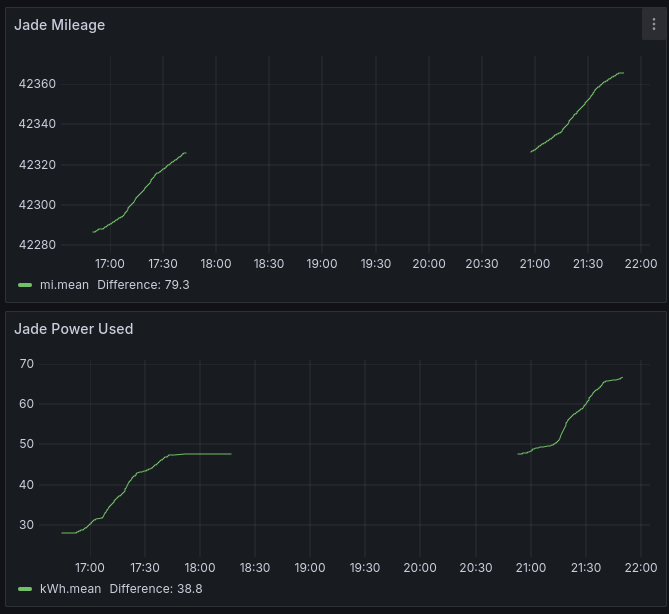
Above is what I have come up with. This is a graph out of Grafana running with data from HomeAsisstant. The Rivian integration gives me the data I need to create this. I can easily see my trip from last night where I drove to Wachusett to hike, then drove home. I drove just under 80 miles and used 39.8 kWh of power.
So how did I accomplish this? I used a combination of a template sensor to calculate the current power in the battery and then a trigger template to generate the power consumed.
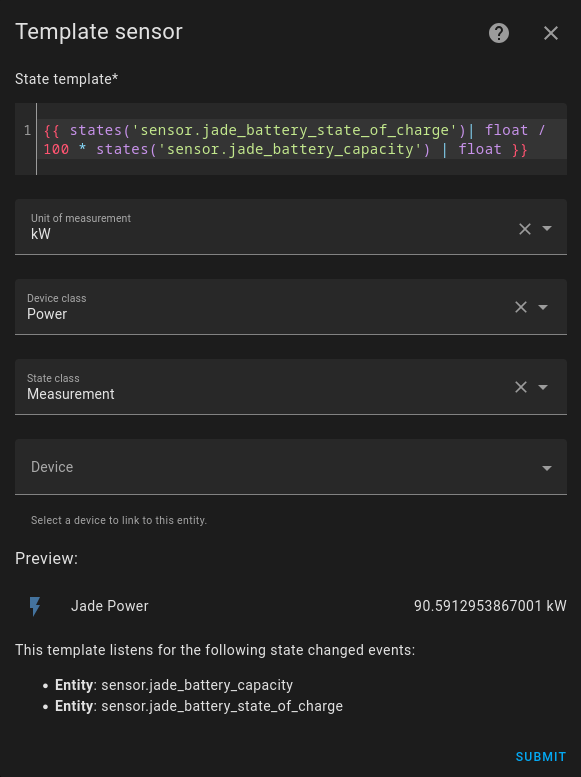
The template above uses the battery capacity and the current state of charge to calculate the power. Your entity id’s will be different then mine. My truck’s name is Jade. 🙂
And here is the trigger template that keeps track of the energy used.
- trigger:
    trigger: state
    entity_id: sensor.jade_power
    id: jade_power_changed
  condition:
    condition: template
    value_template: >
       {{ is_state('binary_sensor.jade_charging_status', 'off') }}
  sensor:
    - name: Jade Power Used
      unit_of_measurement: kWh
      device_class: energy
      state: "{{ states('sensor.jade_power_used') | float(0) + ((trigger.from_state.state |float(0)) - (trigger.to_state.state | float(0))) }}"
      state_class: total_increasing
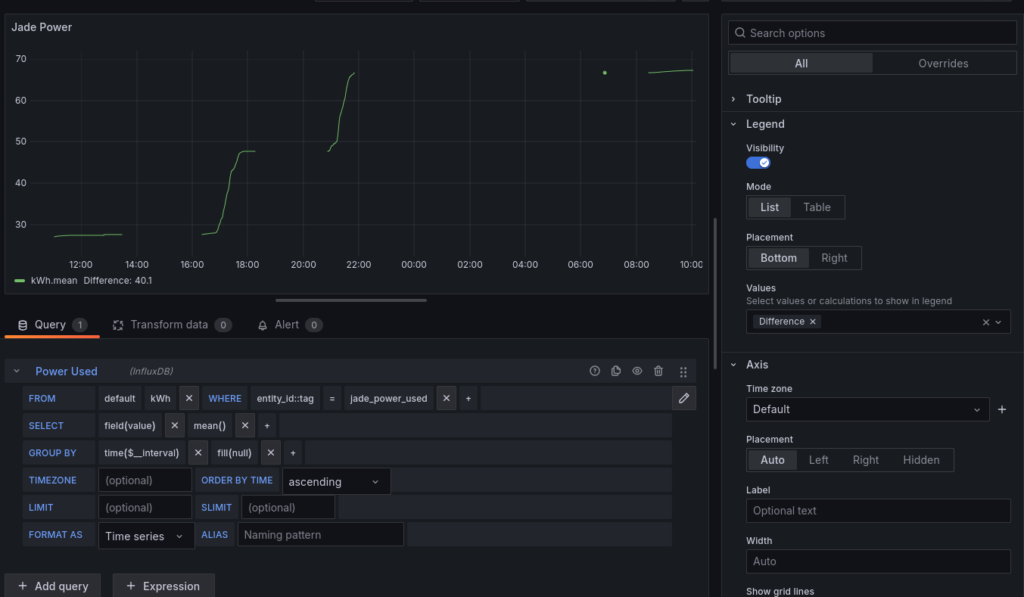
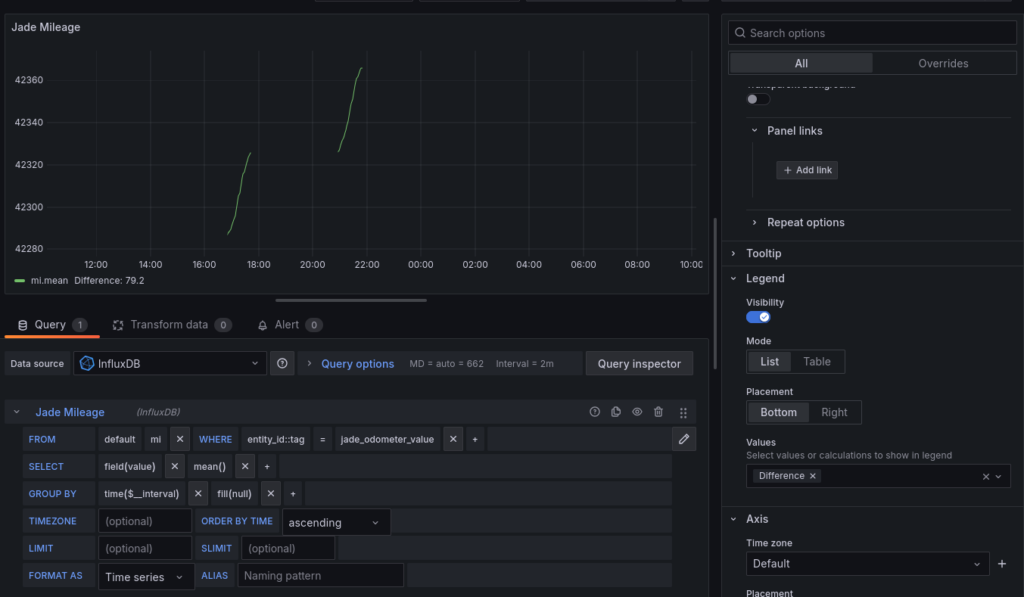
Below is the Grafana queries to display both the mileage and the power used. Grafana links the queries together via time so if you zoom in or out the data is matched between mileage and power. It even can show phantom drain or the power you used on a camping trip with the A/C outlets on.
I hope you found this intereesting or helpful if you are interested in tracking your own power usage.